
One workspace overview
See open and recently seen VS Code, Cursor, Antigravity, and Zed workspaces, names, paths, and state in one place.
Local-first desktop companion
See open and recent workspaces, companion-reported focus, Cursor Agent, Antigravity, and persisted Zed Agent turn and model signals, Codex and Claude Code lifecycle status, and six clearly labelled quota, token, and context cards—then jump to the project that needs you.
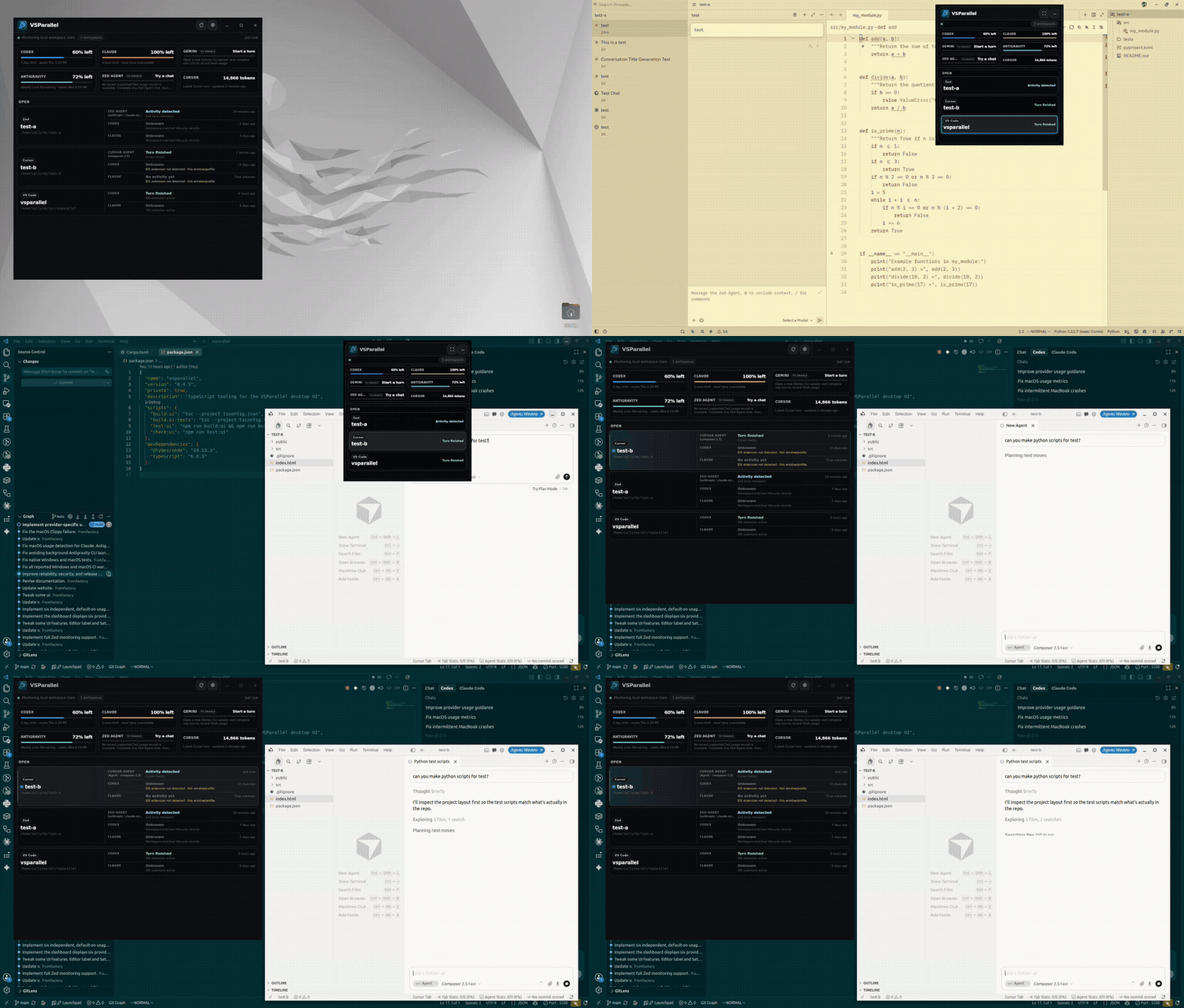
Built for parallel work
VSParallel turns scattered editor windows into a calm, actionable overview.
See open and recently seen VS Code, Cursor, Antigravity, and Zed workspaces, names, paths, and state in one place.
Know which companion-backed window reports focus and which Zed workspaces are conservatively correlated as Open or Recent.
Track agent activity and see clearly labeled quota, token, and context signals.
Open or activate an exact local workspace directly from a card or the native tray.
Keep a compact always-on-top panel nearby or reach active projects from the system tray when available.
No VSParallel account, telemetry, analytics, or advertising. Monitoring metadata stays local.
Editor support
See which workspace signals VSParallel can surface for each editor.
Swipe to compare
| Editor | Workspaces | Agent activity | Model details | Open / activate |
|---|---|---|---|---|
| VS Code 1.85+ Companion + optional hooks | Supported | Supported | Not available | Supported |
| Cursor IDE Companion + Cursor hooks | Supported | Supported | Supported | Supported |
| Antigravity IDE Companion + Antigravity hooks | Supported | Supported | Supported | Supported |
| Zed Read-only local adapter | Supported | Supported | Supported | Supported |
Local-first by default
Workspace monitoring stays on your device. VSParallel does not collect or transmit prompts, responses, source code, terminal contents, transcripts, or Git data.
Read the privacy detailsAvailable across your desktop
VSParallel supports VS Code 1.85+, Cursor IDE, Antigravity IDE, and Zed. Zed needs no companion: its automatic read-only adapter marks a Stable workspace Open only with a live GUI process plus matching current session/window-stack evidence, and otherwise leaves it Recent. Other Zed release channels fail closed to Recent. Zed rows never claim focus or current model generation. Cursor's separate Agents Window and Antigravity 2.0 retain their documented bridge or hook-only limitations.
Ready when you are
Choose your platform above, add companions or hooks where applicable, and launch VSParallel. Zed is discovered automatically with a read-only native adapter; Cursor setup installs its companion and native hooks together.
Current packages are not production code-signed or notarized, so platform warnings may appear. Installation notes